

 ClarityAI
Clarity Upscaler
Enlarge an image and use a prompt to describe the textures you want to bring out. Separate controls adjust creativity, resemblance and contrast.
API model ID
clarityai/clarity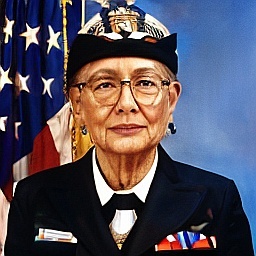
Source inputs
Best for
- Bring out brushwork in a scanned illustration
- Enlarge an anime still while controlling how closely it follows the original
API reference
Read the model documentation- API model ID
clarityai/clarity- Model developer
- ClarityAI
- Modality
- Image
- Input
- Text prompt · Images
- Output
- Image
- Endpoint
POST /v2/jobs- Workflow
- Image edit
Request parameters
imagestring · RequiredPublic HTTPS URL of the source image. The upscaled output may be at most 200 megapixels; a larger request is refused before it starts.
promptstringOptional description to guide creative upscaling.
creativitynumberCreative detail added during upscaling, from -10 to 10.
-10–10
dynamicnumberDynamic contrast in the upscaled image.
-10–10
fractalitynumberAmount of fine, fractal detail.
-10–10
Additional parameters
postprocessingstringApply optional sharpening after upscaling.
- none
- sharpen
resemblancenumberHow closely to preserve the source image.
-10–10
scale_factornumber · Default: 2Factor applied to both source dimensions, from 2 to 16.
2–16
stylestringStyle of the upscaled image.
- default
- portrait
- anime
Pricing
| Billable unit and options | Rate (USD) |
|---|---|
| Per output megapixel | $0.005 |
| Minimum per image | $0.01 |
Catalogue rates on 26 Nov 2026. Prices exclude VAT.
View in pricing catalogue